Updated November 2026 · Linux Mint, Ubuntu, Fedora and Debian · about 30 minutes to audit your own list
The question that decides whether a move to Linux goes smoothly is not “which distribution?” but “what do I actually run every day?” For most people nearly all of it has a good answer on Linux. The trouble is concentrated in a handful of programs, and it is far better to find them before you switch than after. This guide shows you how to sort your programs, what to do with each group, and how to run the stubborn ones.
Where this fits: this guide is about the programs. For choosing a distribution and installing it, see Switching a Home PC to Linux. For a whole office, see Small Office Linux Migration.
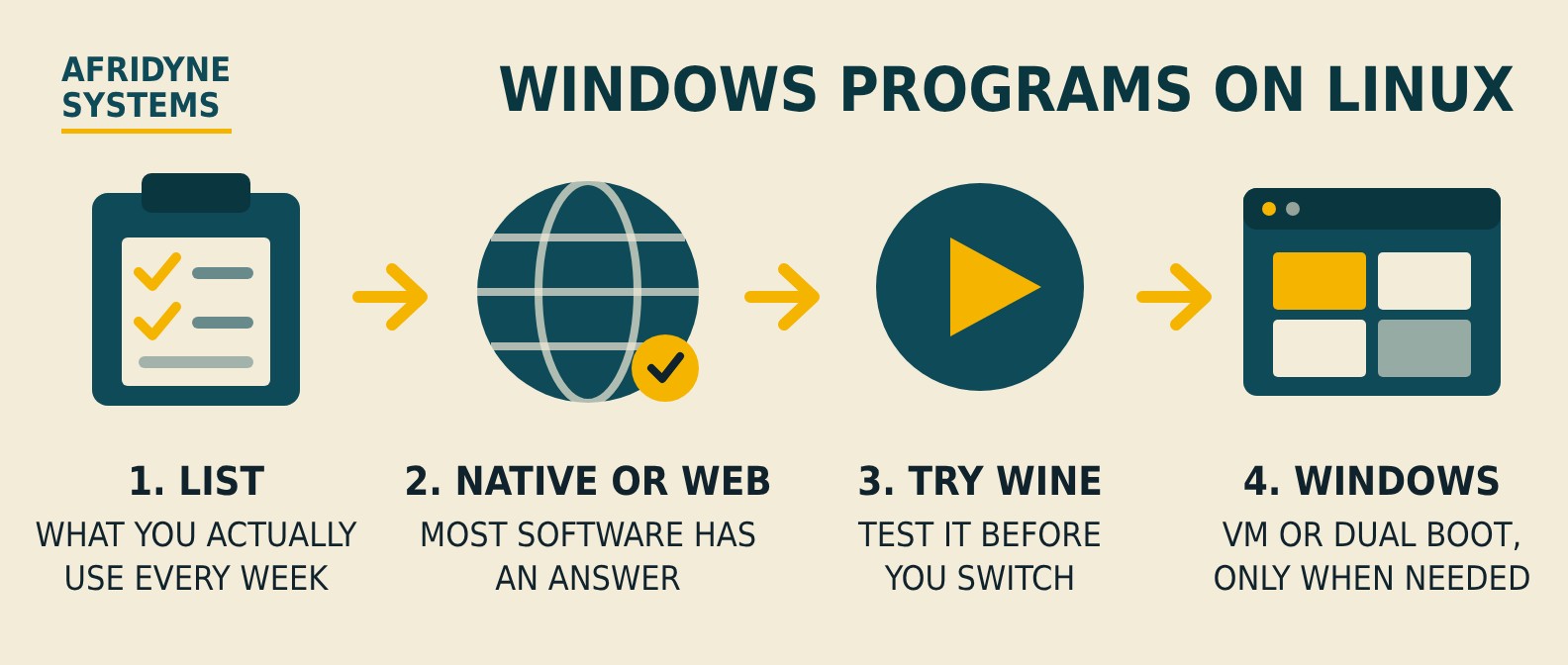
1. Start with a list, not a distribution
Spend a week writing down every program you open, including the ones you only use at month end. For each one, note what it is for, how often you use it and whether you could do without it. Then put every program into one of four groups:
| Group | What it means | Examples |
|---|---|---|
| Native | Has a Linux version, or a good free alternative that opens your files. | Firefox, LibreOffice, GIMP, VLC, Thunderbird |
| Web | The vendor offers a version that runs in your browser, so the operating system does not matter. | Microsoft 365 on the web, Xero, QuickBooks Online, Canva |
| Compatible | A Windows program that runs under Wine or Proton with some effort. Test it first. | Many older Windows programs, most Steam games |
| Needs Windows | Only real Windows will do. You will need one of the options in section 4. | Some accounting and industry packages, Adobe Creative Cloud |
If almost everything lands in the first two groups, switching is easy. If a program you cannot live without lands in the last group, decide how you will handle it before you wipe anything.
2. Common programs, and what to do about them
| Windows program | On Linux | Worth knowing |
|---|---|---|
| Microsoft Word, Excel, PowerPoint | LibreOffice, or Microsoft 365 in the browser | Simple documents convert well. Complex formatting and Excel macros are the usual trouble. Test your own files (section 5). |
| Outlook | Thunderbird, or Outlook on the web | Ordinary email, contacts and calendars work. Shared calendars and Microsoft 365 or Exchange accounts need checking first. |
| Microsoft Teams | Teams in the browser | Microsoft no longer provides a Linux desktop app. Zoom and Slack both have Linux versions. |
| Photoshop | GIMP or Krita for most work | No Linux version. See section 5, and the Photoshop box in our Docker guide. |
| Illustrator | Inkscape | Covers most everyday vector work. |
| Premiere Pro | Kdenlive, or DaVinci Resolve | Resolve has a free Linux version. Both open many common video formats. |
| Accounting (Sage, Pastel, QuickBooks desktop) | Check for a browser version | Windows-only accounting is the commonest blocker for a business. See section 5. |
| AutoCAD | No Linux version | Autodesk offers a browser version with fewer features. FreeCAD, LibreCAD or QCAD cover some work. |
| Games | Steam, which runs many Windows games through Proton | Games that use kernel-level anti-cheat often will not run. Check the game on ProtonDB first. |
| Online banking and most websites | Any modern browser | Nothing to change. |
3. Wine: running Windows programs without Windows
Wine is a free layer that translates a Windows program’s requests into ones Linux understands. You do not need a Windows licence or a copy of Windows, and the program starts like any other. It is not magic: some programs run perfectly, some run with quirks, and some do not run at all, so test before you commit.
- Check the program first. Search for it in the Wine Application Database (appdb.winehq.org). Programs are rated Platinum, Gold, Silver, Bronze or Garbage. Platinum and Gold usually mean it works. Garbage means do not bother.
- Install Bottles. It is a friendly front end for Wine that keeps each program in its own separate “bottle”, so one cannot break another.
- Create a bottle, install the program, and test it with your real files, not a sample file.
flatpak install flathub com.usebottles.bottlesIf Flatpak is not set up on your system, your distribution’s software manager can install Bottles as well. For a program that matters to your business and does not work, CrossOver is a paid version of Wine that comes with commercial support. It is worth a look before you give up on a program.
Wine does not make a program safe. A Windows program running under Wine can still read your files. Install only programs you would trust on Windows, from the vendor’s own site.
4. When you need real Windows
When a program will only work on Windows, you have five options. Every one of them except a spare PC and a dual boot involves running a Windows copy, which needs its own Windows licence.
| Option | How it works | Good for | The catch |
|---|---|---|---|
| Virtual machine | Windows runs in a window on your Linux desktop (VirtualBox, GNOME Boxes or virt-manager). | Office and accounting packages that need Windows but not fast graphics. | Needs 4 GB or more of RAM to itself and a Windows licence. Weak graphics. |
| Windows in a container | The same idea, started from a compose file. See our Docker guide. | People who already use Docker, or want it repeatable. | Needs hardware virtualisation, and has no graphics card support by default. |
| Dual boot | Windows and Linux are both installed, and you pick one at startup. | Photoshop, CAD, games and anything that needs the full graphics card. | You must restart to switch. Keep backups, because a Windows update can upset the boot menu. |
| Spare Windows PC | Keep one old Windows machine for the one program that needs it. | A single stubborn program, used now and then. | Another machine to look after and keep updated. |
| Remote desktop | Connect from Linux to a Windows PC or server in the office over RDP. | Offices that already have a Windows machine running the program. | Needs that machine to stay on, and a licence for each connection. |
5. The hard cases
Microsoft Office
LibreOffice opens and saves Word, Excel and PowerPoint files, and for plain documents the difference is hard to see. The trouble starts with complicated formatting, tracked changes, and spreadsheets full of macros. Before you decide, open the five most complicated documents and spreadsheets you use in LibreOffice and compare them with the originals. If they look and behave correctly, you are fine. If an important spreadsheet depends on macros, keep it on Windows, or use Microsoft 365 in the browser.
Adobe Creative Cloud
Adobe does not make Photoshop, Illustrator, Premiere Pro or InDesign for Linux, and does not support them under Wine. A container or virtual machine runs them poorly because it cannot use the graphics card. If you earn your living with these programs, dual boot, or keep a Windows PC for them. If you only use them lightly, GIMP, Krita, Inkscape and Kdenlive may be all you need.
Accounting and industry software
Ask the vendor three questions: Is there a browser version? Do you support Linux? Will you support the program in a virtual machine? A browser version solves the problem completely. If the answers are all no, run the program in a virtual machine or keep it on one Windows PC, and move the rest of the office to Linux anyway. A staged move like this, rather than all-or-nothing, is how most offices succeed.
6. Before you switch: a checklist
- Every program you use is on your list, sorted into the four groups in section 1.
- Anything in the “Needs Windows” group has a plan: browser version, virtual machine, dual boot or a spare PC.
- You have opened your most complicated documents and spreadsheets in LibreOffice and checked them.
- You have tried the Linux version on a USB stick, or in a virtual machine, with your real files.
- Your files are backed up somewhere other than the computer you are about to change. See our backup guide.
- Your printer and scanner work. Check before you commit, not afterwards.
- You are keeping Windows available, at least for the first few weeks, in case something is missed.
When things go wrong
| What you see | Likely cause | What to do |
|---|---|---|
| A program installs but will not start under Wine | A missing component, or the wrong Wine version for that program. | In Bottles try a different runner, and read the notes for that program on the Wine AppDB. |
| Documents look different from on Windows | The Microsoft fonts are missing, so Linux substitutes others. | Install the Liberation fonts, which match the metrics of the common ones, or copy your fonts from a Windows PC if their licence allows it. |
| An Excel macro does nothing | LibreOffice runs many macros but not all of them. | Test it. Rewrite it, or keep that file on Windows or in Microsoft 365 online. |
| A game will not start | Anti-cheat, or a missing Proton version. | Look the game up on ProtonDB and try the version people recommend. |
| The Windows virtual machine is very slow | Too little RAM or CPU given to it, or the disk image is on a slow drive. | Give it at least 4 GB of RAM and 2 CPU cores, and keep its disk on an SSD. |
| Windows no longer appears after dual-booting | A Windows update replaced the boot menu. | Do not reinstall. Boot from your Linux USB stick and repair the boot menu, or ask us to. |
 Chat on WhatsApp